
Note: This article only applies to customers using our Managed Wordpress Backups service
Each of our Managed Wordpress Backup plans come with a backup space quota. You can view how much of your disk quota you are currently using by following the steps below.
1. Log into your D9 Client area and click on the "View Details" button next to your Managed Wordpress Backup service.
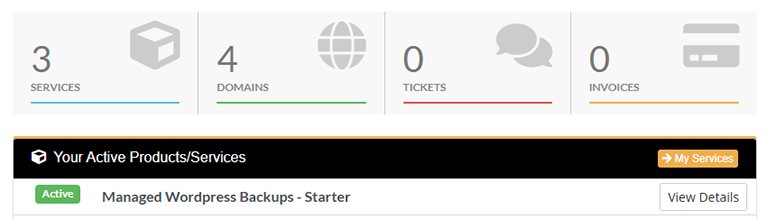
2. Scroll down the page and you will be able to see a real time overview of your current disk usage.
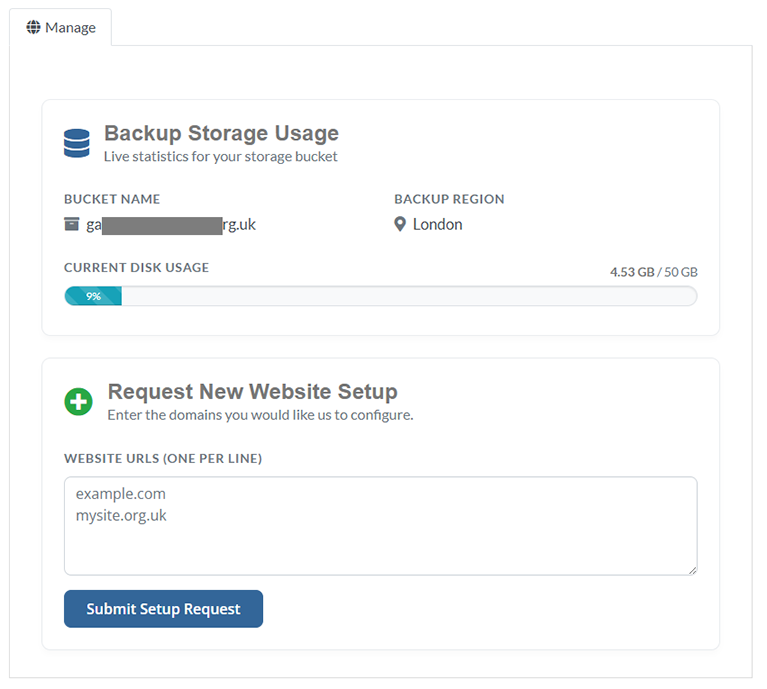
If you are getting close to your disk usage limit you can either delete some backups to reduce your disk usage or you can upgrade to a plan with higher disk space limits.