
Note: This article only applies to customers using our Managed Wordpress Backups service
By default, there will be 10 backups stored of your wordpress website. When the limit is reached, the oldest backup will be deleted and replaced by a new backup. If you would like to increase or decrease the number of backups that are saved, follow the steps below.
1. Log into your Wordpress website and click on the Backuply link in the left side navigation bar. This will take you to the Backuply dashboard.
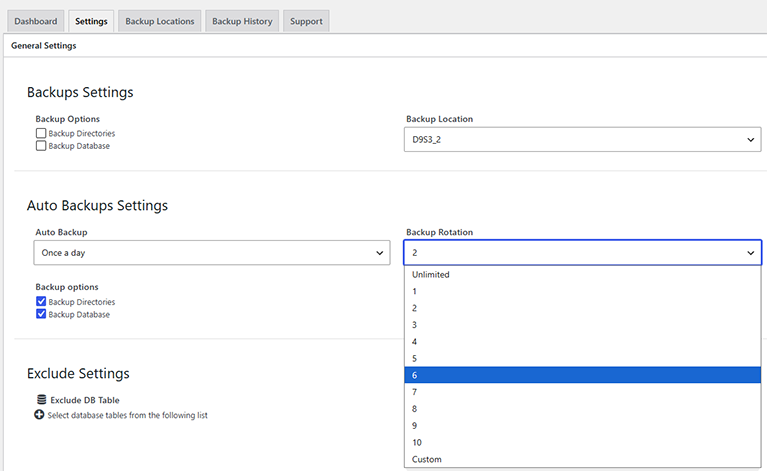
2. Click on the "Settings" tab and scroll down to the "Backup Rotation" drop down box. From there you can select your preferred backup rotation/retention number.
3. Click on the blue "Save Settings" button at the bottom of the page to save your changes.
As this service is fully managed we can also change the backup retention value for you. Simply submit a ticket to the Managed Wordpress Backups support department and let us know what you would like the number set to.