
Note: This article only applies to customers using our Managed Wordpress Backups service
By default your Wordpress install will be backed up daily but this can be changed to fit your specific needs. if you have a website that rarely changes then you may wish to run the backups less often but on the flip-side if you run a busy eCommerce website it may be beneficial to take more regular backups. To change the backup frequency, follow the steps below.
1. Log into your Wordpress website and click on the Backuply link in the left side navigation bar. This will take you to the Backuply dashboard.
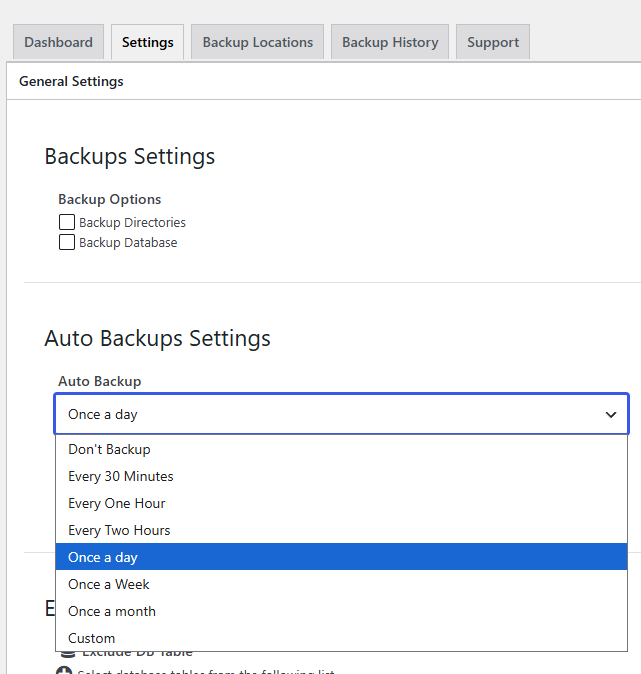
2. Click on the "Settings" tab and scroll down to the "Auto Backup" drop down box. From there you can select your preferred backup frequency from the drop down box. The drop down box contains the most common backup frequencies but if you require a very specific backup frequency (Eg: at 02:27 every other Tuesday) select the "Custom" option and then set up the displayed cron job via cPanel > Cron Jobs.
3. Click on the blue "Save Settings" button at the bottom of the page to save your changes.
As this service is fully managed we can also change the backup frequency for you. Simply submit a ticket to the Managed Wordpress Backups support department and let us know what you would like the frequency set to.